How to read and verify a DrillTech test report
A test report is the lasting evidence of work done on site or in the laboratory, and it is the report that is assessed at acceptance, for progress payments and during inspections. This guide explains what our reports contain, what to tell us when samples are taken so the report is useful, and how anyone can check that a report is genuine.
What a report contains
- Report number and date of issue, with every page numbered in the form “Page 2 / 4”.
- Client and project details: the client the report is issued to, and the project name and location.
- Test method: the standard with its year, for example TS EN 13286-2:2013 for the Proctor test or TS EN 12390-3:2019 for concrete compressive strength. The year matters because methods can differ between editions of a standard.
- Sample description: material, location and layer or structural element, date, and supplier or source.
- Results: measured and calculated values with units, plus curves and photographs where relevant.
- Remarks: any deviation from the standard method agreed in writing beforehand, a note where the sample was supplied by the client, and the source of any reference value used for comparison.
- Signature: the electronic signature of the person authorised to issue the report.
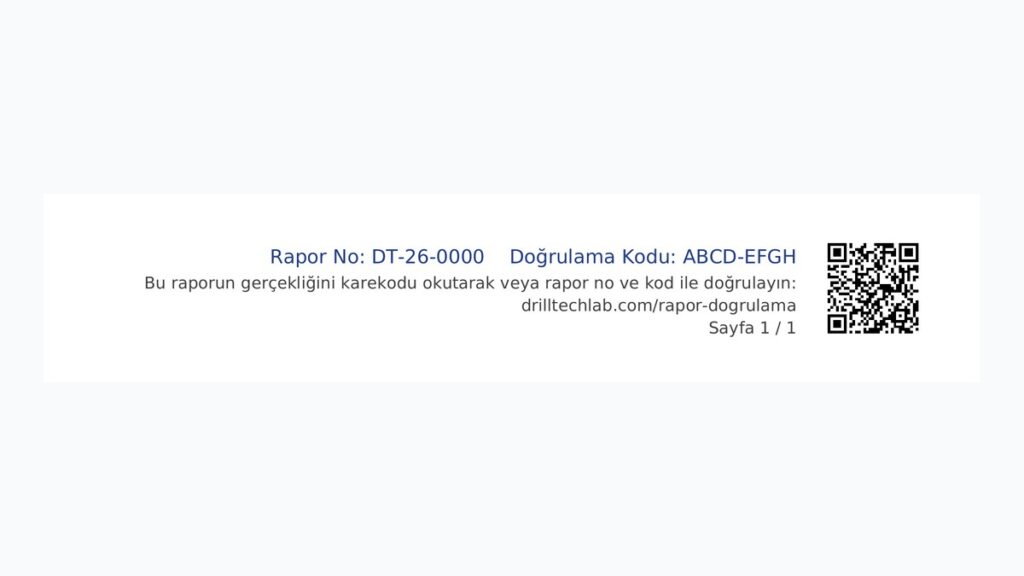
- Verification details: a QR code, the report number and a verification code in the bottom right corner of every page.
Results relate only to the items tested. A statement of conformity with a specification is given only where agreed in advance; otherwise the report presents the measured values and the assessment is made by whoever applies the specification.
What to tell us when samples are taken
A result is only valuable if it is clear what it belongs to and where it came from. Before work starts, please give us:
- The name the report should be issued to (contractor, employer or owner) and who should receive it.
- The project name and location: chainage and offset on road works; block, floor and element on buildings.
- The layer or material, such as fill, sub-base, base or bituminous layers, and the layer thickness.
- The specification and acceptance criteria, for example the required degree of compaction (%), the minimum Evd (dynamic deformation modulus) or the concrete class.
- The reference values to compare against, for example which Proctor test’s maximum dry density and optimum water content apply.
- The source or supplier of the material.
When this information is missing, the report may have to be revised later, which delays acceptance. We agree the scope, methods and governing specification with you before work starts; the details are in our general testing terms.
Digitally signed PDF reports
We issue our reports as electronically signed PDFs. The electronic report is the original; printouts are copies. Open the PDF in Adobe Acrobat Reader and the signature panel shows whether the signature is valid and whether the document has been changed since it was signed. Adding or removing pages, merging files or writing on the PDF breaks this check. Reports may be reproduced only in full; partial reproduction needs our written approval.
How to verify a report
A consultant, municipality, employer or anyone else holding a report can check that it is genuine and see its current status on our report verification page. There are three ways:
- Scan the QR code. Scan the code on any page with a phone camera and our verification page opens with the report’s record.
- Enter the report number and verification code. Type the number and code printed next to the QR code into the form at drilltechlab.com/en/verify. This is the way to check printed or scanned copies.
- Check the PDF file. Drop or select the PDF on the page. The file never leaves your computer; only its digital fingerprint (SHA-256) is calculated in your browser and compared with the fingerprint of the original file in our records.
When a record is found, the page shows the report number, date of issue, client, project or location, tests, number of pages and the signatory. Compare these with the report in front of you; if the page count or test list does not match, the report may be incomplete or altered.
A PDF that does not match is not necessarily a forgery: the file may have been re-saved, compressed or converted. In that case, verify with the QR code or report number, or send the report to us. Older reports of ours without a QR code can also be checked by dropping the PDF on the page; if there is no match, send it to us.
Valid, revised, cancelled: what they mean
| Status | Meaning | What to do |
|---|---|---|
| Valid | The report was issued by us and is valid. | You can rely on it. |
| Revised | A revised report has been issued to replace this one; the record shows the number of the replacement. | Ask for the current report and use that. |
| Cancelled | The report has been cancelled by us. | Do not rely on it. |
| No record found | The number or code may have been mistyped. | Check the characters; contact us if the problem persists. |
A revision is made, for example, when a location or client name was entered incorrectly and needs correcting.
Acceptance, progress payments and keeping records
Formal acceptance and progress payments require test results that are measurable, documented and obtained to recognised standards. The employer or supervising engineer must be able to trace each result to a method, a sample and a location. A result with an unclear location, no standard or year, or any suspicion of alteration may not be accepted. Testing a layer once it has been covered usually means digging it up again, at a cost in time and money. For your records:
- Keep and forward the original PDF, not screenshots or photographs.
- Name files by report number and keep them in the project folder with a sketch of the test locations.
- When a report is revised, file the replacement and set the old version aside.
- If you need to combine reports into one file, keep the original PDFs as well.
- Samples are kept for a defined period after testing and then disposed of; if you want to query a result, contact us promptly quoting the report number.
Frequently asked questions
I scanned the QR code but no result appeared. What should I do?
Check your internet connection, then type the report number and verification code into the form on the page. If there is still no record, send us the report and we will look into it.
Is a printed copy valid?
The electronic report is the original and a printout is a copy. Anyone holding a printed copy can verify it with the QR code or the report number and code; the file fingerprint check needs the original PDF.
What happens if something in the report is wrong?
Contact us quoting the report number. Where needed we issue a revised report, and the old one then shows as revised on the verification page. Do not edit the report yourself: an edited file shows an invalid signature and will not match in the PDF check.
You can check a report now on our report verification page. For the full range of field and laboratory testing, see our services, and for any question about a report, contact us.